
Are you looking for a USB or Thunderbolt audio interface for your home studio?
That’s perfect, we will explore this topic in detail in this article!
Indeed, audio interfaces, which are actually external sound cards with various features, are essential in the studio or home studio. They are simply part of the basic equipment to have, just like music production software (DAW) that you need for recording and mixing.
But which sound card to choose?
With Focusrite, Audient, Behringer, Presonus… there are so many options, so how to choose without making a mistake?
Well, I will explain how in this article, along with carefully selected audio interface recommendations.

Especially since when you’re starting out, it can be difficult to answer questions like “Will this or that audio interface be suitable for recording guitar or voice?” or “Do I need a two-channel interface or one with 8 inputs?”.
So, to help you, I offer you this detailed article that contains all the necessary information for you to choose the audio interface model that suits you.
More concretely, we will cover the following topics:
- What is an audio interface for?
- How to choose a studio audio interface?
- The best audio interfaces for (home) studio
- Comparison table of the best home studio audio interfaces
- FAQ on external sound cards
In short…
If you don’t have much time, here are the 3 key suggestions from this article:
| Model | My opinion | Click to see the price |
|---|---|---|
 Focusrite 2i2 | The ultimate beginner’s interface, good sound quality | Thomann Amazon Woodbrass |
 Focurite 18i20 | If you need a lot of inputs (drum recording, many synths…) | Thomann Amazon Woodbrass |
 Universal Audio Apollo Twin X | If you’re looking for a truly high-end interface for your home studio, but don’t need dozens of inputs/outputs | USB Version: Thomann Amazon Woodbrass Thunderbolt Version: Thomann Amazon Woodbrass |
.tableauEntete.affLinkContainer a.affLink {display:block;}
What is an audio interface for?
First of all, let’s take a few minutes to understand the role of the audio interface in a (home) studio.
What is an audio interface?
So yes: why use an audio interface?
An audio interface, to simplify it as much as possible, is a device that serves as a sound card.
A somewhat special sound card, that said.
First of all, it is generally external – meaning you will connect it via USB or Thunderbolt to your computer.
Moreover, it is a sound card that combines a number of useful features for recording and mixing tracks: microphone preamps, inputs for connecting instruments like guitars or synthesizers, headphone amplifiers, MIDI signal management…
In short, it is somewhat the nerve center of your (home) studio.

You might be thinking: “Yes, but I already have a sound card in my computer – can’t I use it?”
The answer is clear: “No, that’s a bad idea.”
Simply put, the sound cards built into commercial computers are just sufficient for listening to music. They do not allow, for example, recording instruments.
To work under good conditions, you absolutely need a dedicated audio interface for studio use, with the right quality and features.
In the same vein, and unless in specific cases, I advise against using mixing consoles in a home studio — but if your need is specific and you actually need a mixing console, you will find my recommendations here.
What will you use your audio interface for?
Now that you are convinced, at least normally, of the importance of having a quality audio interface for your studio, ask yourself how you will use it.
Are you a solo musician, who just wants to record their guitar from time to time?
Are you a songwriter, who wants to record their guitar/vocal compositions under good conditions?
Do you want to record a full band with drums?
And then, once you have connected your future new audio interface to your computer, how many different instruments do you plan to record?
Of course, take your current situation into account – but also think about your future situation, in two or three years.
Sure, it’s always a bit difficult to project – but if, for example, you produce electronic music and tomorrow you plan to buy some analog or digital synthesizers, then getting an interface with MIDI connections now will likely be a good idea.
How to choose a studio audio interface?
Of course, depending on the use you will make of your audio interface in your (home) studio, and thus based on your needs, you will lean towards a different model.
Fortunately, technology has progressed well in recent years, and there are few really bad models that would prevent you from recording your music under good conditions – unless you buy ultra-entry-level or perhaps some really obscure models.
That said, to choose your next external sound card well, it is essential that you keep a number of criteria in mind.
Otherwise, you risk going around in circles reading the myriad of comments saying everything and its opposite on forums or other social media groups.
The number of analog inputs
For me, the first criterion to look at is the number of analog inputs present on the audio interface.
Indeed, this will determine, to simplify, the number of tracks (instruments, vocals…) that you will be able to record at the same time.
There are three types of inputs (which are sometimes grouped via “combo” XLR/jack connectors):
- XLR microphone inputs — where you will simply connect your microphones;
- Instrument or DI inputs — which correspond to integrated DI boxes, and where you will typically connect your guitars and basses;
- Line inputs — where you might connect your synths but also your external microphone preamps, if you have any.
Note that the first two, at a minimum, always have a built-in preamp.

For more information on the difference between these three types of inputs, I recommend reading my article on audio levels in the studio.
To choose your interface well (and that’s why in the previous chapter I made you think about the current and future use you envision), you need to determine, roughly, how many instruments or voices you will be recording at the same time.
Generally, we record one instrument at a time.
In other words, in most cases, audio interfaces with 1 or 2 inputs are sufficient for home studio use.
However, if you want to record an entire band (for a “live” feel) or, for example, a drum kit (for which multiple microphones are often used), you will need to turn to an external sound card with enough microphone inputs.
Similarly, if you want to do podcasting or radio, you need to determine in advance how many guests you want to have simultaneously to know how many microphones you will be connecting.
Don’t forget to get the right cables for recording.
If you’re unsure about the number of inputs you need, I recommend simply drawing the interface to list everything you will connect to it + determining, at most, the number of things you will connect at the same time to the interface. This will help clarify things.
Do you think you only need one input, for example just to record your guitar?
One piece of advice: aim a little higher and get a two-input interface. You never know, maybe in a few months you’ll want to play with a friend or record your voice at the same time…
Phantom Power
Some microphones (mainly condenser microphones) need to be powered by an electrical current, which is generally 48 Volts.
This is called “phantom power” in English.
Perhaps at first, you won’t need it — depending on the microphone you are using.
However, not having this option may severely limit you if you wish to gradually expand your equipment.
Also, make sure that the audio interface you choose for your home studio has this option, which is present on most models.
The Number of Analog Outputs
The number of outputs is also important, but at the same time, it’s a much simpler criterion to understand and analyze.
Analog outputs will serve you two purposes:
- either to connect your listening devices;
- or to send a signal from your PC to hardware equipment like an equalizer, compressor, etc.
If you do not use any specific audio processing equipment, which is the basic case for most home studios, you just need to define how many listening devices you will connect to your external sound card.
Generally, we use a headphone and/or monitoring speakers.
This means that at a minimum, you must have:
- one headphone output
- two standard outputs at the “line” level (one for each speaker).
And here’s the good news: this is the case with almost all studio audio interfaces.
However, be attentive to the connectivity regarding monitoring speakers: prefer interfaces that offer outputs in jack or XLR format, avoiding sound cards with simple RCA unbalanced outputs.
Moreover, even on their entry-level models, some manufacturers like Focusrite have replaced RCA outputs with jack outputs:

MIDI Connectivity
If you work or plan to work with hardware synthesizers, you will need to manage MIDI signals via your external USB or Thunderbolt sound card.
Just to send notes from your PC to your synths.
Also, be vigilant about the presence of MIDI ports (input/output) on audio interfaces: some models do not have them.
That said, it is not necessarily a major issue: there are various cables or small USB/MIDI interfaces that will allow you, alongside your audio interface, to connect your MIDI hardware.
Other Connectivities
In the audio world, there are a significant number of different connectivities catering to equally varied uses.
Some of them can also be found on home studio sound cards, and you may need them.
First of all, you often find ADAT ports, some being inputs and others outputs. This is a digital connectivity that allows, for example, to expand the capabilities of your interface by adding additional inputs.

Sometimes, you also find S/PDIF connectivities, which use the same connector as RCA cables (you know, the red or white cables) but actually transmit a digital signal: the principle of operation is “similar” to ADAT ports, except that you can only pass 2 channels at a time.
Finally, on (very) high-end interfaces, you regularly find other more specific digital connectivities like MADI or Dante – which are mainly useful if you plan to record a very large number of instruments simultaneously (for example, if you are working with an orchestra), and are rarely useful in a home studio.
Direct Monitoring
Sometimes overlooked, Direct Monitoring is a very useful option.
The underlying problem is as follows: the time it takes for sound to enter the computer, be processed by your software, and return to your interface and then to your ears is generally on the order of a few milliseconds (this is called latency).
It may seem low, but in reality, it is often audible. If you are recording percussion and sending back the sound coming from your DAW to your headphones, it will hinder your playing.
With direct monitoring (which can be analog or software), you hear directly in the headphones what you are playing, before the sound reaches the computer.
Result: no delay!
Note: all the studio audio interfaces offered later in this article allow direct monitoring, in one form or another, so today there isn’t much of an issue. But on some old models or very “entry-level” models, the feature may be absent.
Other Features
From one audio interface to another, you can find quite different features or characteristics that you need to consider in your choice.
Think especially about how you will install the device: is it portable if you need to move it? On the contrary, is it “rackable” for a more permanent installation? Is the on/off button on the front, or at the back? Are the microphone or guitar connections at the front or back?
And then, also pay attention to the different recording level indicators on your future external sound card: not necessarily essential, it is still practical to be able to identify if the signal is too strong or not (via an LED indicator or via a screen).
Finally, consider the power supply: some external sound cards are powered via USB (2 or 3) or Thunderbolt ports — while others need to be plugged into the mains. The latter are generally more powerful (as more electrical current is available, especially to power headphones, especially if they have a high impedance), but you need to ensure that there is a socket available near where the interface will be installed.
Resolution and sampling frequency.
“24 Bits / 192 kHz”
You often see this kind of indication on the product sheets of USB or Thunderbolt audio interfaces.
The first number corresponds to the recording and playback resolution. Avoid 16-bit interfaces (as they are technologically rather obsolete), and prefer 24-bit interfaces.
However, contrary to what one might think, having a higher resolution (for example, 32 bits) will not actually provide better recording quality. Sorry marketing teams.
The second number corresponds to the sampling frequency. That is, the number of samples of the audio signal that will be recorded each second.
Audio CDs have a sampling frequency of 44.1 kHz. This is sufficient to reproduce all frequencies audible to humans. So being able to record at 192 kHz is overkill in most situations.
However, one might say that the higher this number is, the more it will allow for different situations (especially if you are doing sampling) — although an interface that can record at 192 kHz cannot be considered better than an interface limited to 96 kHz.
Note #1: Personally, I mostly record at 44.1 kHz. It works very well. In a home studio, you don’t really need a sound card that goes up to 192 kHz.
Note #2: Increasing the sampling frequency during recording will, however, reduce the latency of the sound card, at the cost of additional CPU load.
Connectivity (USB, Thunderbolt, Firewire… ?)
There are audio interfaces that connect via USB, others that connect via Thunderbolt, and others that connect via Firewire.
So what should you choose?
Let’s start by eliminating one of the options: Firewire. Indeed, it is a type of connection that is losing ground, if not almost already disappeared. Investing today in a Firewire interface is therefore almost like investing in obsolete technology (which, however, still works well).
Now, Thunderbolt. This is a newer, very fast connection, but it is not yet present on all computers. Moreover, Thunderbolt audio interfaces tend to be significantly more expensive than USB interfaces.
If you have the budget, why not – but in practice, USB interfaces already work perfectly well.
That’s why the interfaces I recommend later in this article are primarily USB audio interfaces, which can literally be used on any computer, Mac or PC.
Similarly, some interfaces have a USB-C port. However, even though this connection is newer, it does not guarantee superior quality: a USB-C sound card will not be better than a sound card using a more standard USB port.
Note also that most audio interfaces are still USB 2, and not USB 3.
This is normal.
Contrary to what one might think, USB 3 sound cards are not more stable or efficient than those in USB 2.
The best audio interfaces for (home) studio
To help you in your search, here is a selection of 10 of the best audio interfaces for your home studio, whether you simply want to record your guitar or full bands.
Of course, there are other very good models as well – however, these correspond to reliable models that have proven themselves and offer an interesting quality/price ratio.
1. Focusrite Scarlett Solo
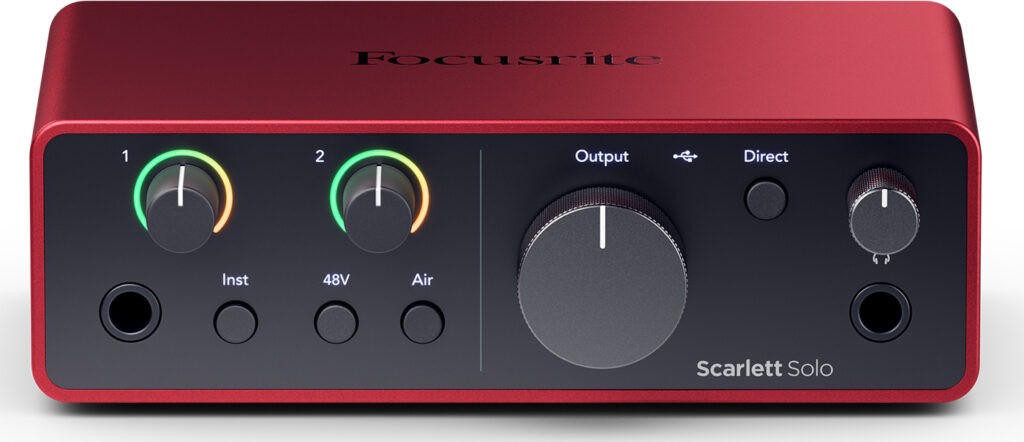
Brand: Focusrite
Number of analog inputs: 1 input (combo instrument/line at the front or microphone at the back)
Number of analog outputs: 1 for headphones, 1 pair for speakers
MIDI In/Out: no
Power supply: via USB
Typical use: beginner and/or solo musician, small budget
The cheapest USB audio interface in this selection.
The Scarlett Solo from the English brand Focusrite simply offers two inputs: one in XLR format to connect a microphone with phantom power (to connect this type of cable), and one in jack format to connect an instrument or a device with a line output.
Notably, there is the “Air” button on the microphone preamp, which activates a technology that lifts the highs and is inspired by much more expensive preamps.
In terms of outputs, it has the minimum necessary to work under good conditions: a headphone output at the front and two jack outputs to connect your speakers at the back.
Everything is powered via USB and comes with a nice software bundle: Ableton Live Lite, ProTools First, plus a whole series of plugins.
Overall, the sound is very decent even though the preamps have a slightly veiled sound compared to what can be found on higher-end interfaces (it is sometimes said that they are “very transparent,” but that is just marketing speak, not reality).
In short, an ideal USB audio interface if you are starting out in a home studio or if you are a solo musician looking for a budget-friendly audio interface.
► Compare prices for the Focusrite Scarlett Solo at: Thomann Amazon Woodbrass
2. Behringer UMC404HD

Brand: Behringer
Number of analog inputs: 4 combo inputs for instruments/microphones/line
Number of analog outputs: 1 for headphones, 1 pair for speakers
MIDI In/Out: yes
Power supply: mains powered
Typical use: beginner, very small budget, need for a good number of inputs/outputs
So, I often have a bit of trouble recommending Behringer interfaces because while the brand sometimes makes nice things, especially in synthesizers, their audio interfaces remain rather low-end products.
That said, it must be admitted that the sound is not so bad (and no, I am not particularly referring to the MIDAS preamps, that is a marketing argument, the preamps are nothing special), and especially that the quality/price ratio is correct.
Indeed, it is worth noting that the interface has a large number of inputs/outputs for the price, with even four insert points at the back and complete MIDI connections.
However, while overall people who buy this interface do not seem to be disappointed, there are still some issues that can arise: noise on quiet recordings, USB connection problems on some computers…
So most of the time it’s fine, but one must be aware that this interface is not perfect.
In short, a budget audio interface that does not perform too badly.
► See the prices for the Behringer UMC404HD at: Thomann Amazon Woodbrass
3. Focusrite Scarlett 2i2

Brand: Focusrite
Number of analog inputs: 2 inputs (combo instrument/line at the front or microphone at the back)
Number of analog outputs: 1 for headphones, 1 pair for speakers
MIDI I/O: no
Power supply: via USB
Typical use: beginner, small home studio or mobile use
The Focusrite Scarlett 2i2 is simply THE best-selling audio interface in the world – and therefore the most used in home studios.
It differs slightly from the Solo we discussed earlier, placing it a bit higher in the range.
This time, with this external sound card, we have direct access to two combo XLR/jack inputs – each of which can be used to connect a microphone, a guitar, or a device outputting a line-level signal.
Again, we of course find the “Air” feature on each input, to lift the highs and give a slightly more qualitative sound to your recordings.
The preamps are more efficient than those of the Solo, and they do the job without any problems, without being particularly excellent. This means they are more than sufficient to record your tracks under good conditions, as you can see in the video below (with the 3rd gen version of the 2i2 interface):
Finally, the 2i2 also has a headphone output at the front with a dedicated volume control, as well as a pair of jack outputs at the back to connect your monitoring speakers.
For me, this makes it an ideal audio interface for starting in a home studio, as it has all the features you need when you’re getting started.
If, on the other hand, you need the same model but with MIDI connectivity (to connect your synths), feel free to check out the Scarlett 2i4, which is the model just above.
► Compare prices for the Focusrite Scarlett 2i2 at: Thomann Amazon Woodbrass
4. Steinberg UR22C

Brand: Steinberg
Number of analog inputs: 1 mixed instrument/microphone/line and 1 mixed microphone/line
Number of analog outputs: 1 for headphones, 1 pair for speakers
MIDI In/Out: yes
Power supply: via USB 3 or via external power supply
Typical use: beginner, small home studio or mobile use
Direct competitor to the Scarlett 2i2, the UR22C from Steinberg is slightly more expensive.
Admittedly, the design is a bit dull (at least in my opinion), but Steinberg makes quality products that are reliable and fit well in a home studio.
The UR22C indeed offers two mixed microphone/line inputs, knowing that one of them can serve as a Hi-Z (high-impedance) input for connecting an instrument like a guitar or bass.
On each channel, there are “peak” indicators allowing you to quickly check if you are recording too loudly.
In terms of preamps, the sound is quite good – perhaps because they are circuits designed by Yamaha!
Regarding outputs, we find the classic headphone and speaker outputs. No particular comments on this point: everything works well.
However, the major positive point of the UR22C, especially for the price at which it is sold, is the integration of a MIDI input and output, which will allow you to easily work with hardware synths.
Also, the Steinberg UR22C seems to be a particularly relevant choice for a home studio, probably more for beginners or for those on a tighter budget.
► Compare prices for the Steinberg UR22C at: Thomann Amazon Woodbrass
5. Audient iD14 MKII

Brand: Audient
Number of analog inputs: 1 mixed microphone/line input + 1 instrument input at the front OR mixed microphone/line at the back
Number of analog outputs: 2 for headphones, 1 pair for speakers
MIDI In/Out: no
Power supply: via USB
Typical use: beginner, solo musician, intermediate home studio
Another relatively simple audio interface option for beginners in home studio: the small iD14 mkII from Audient, slightly higher in quality but especially more complete than the iD14 from the same brand.
At the front, there is a good quality instrument input (JFET DI). At the back, two combo microphone/line inputs.
The whole unit is solid and very compact, with two outputs at the back in jack format for connecting speakers.
In terms of headphone preamps, we appreciate the fact that there are two outputs at the front of the device: one in jack format and one in mini-jack format. But the positive point is mainly that it is possible to connect two headphones at the same time.
Ideal if you are listening to sound with a friend, for example.
Beyond these considerations, the big advantage of the iD14 is the sound.
Indeed, for the price, the sound offered by this USB external sound card is very good, both in terms of preamps and converters.
Finally, we note the presence of an ADAT IN connection that will allow adding preamps in the future if needed, for example to record a drum set.
In short, a very good choice for the solo musician or beginner who wants quality equipment while staying within a relatively constrained budget.
► Compare the prices of the Audient iD14 MKII on: Thomann Amazon Woodbrass
6. Motu M2

Brand: Motu
Number of analog inputs: 2 inputs (mixed instrument/microphone/line)
Number of analog outputs: 2 for headphones, 1 pair for speakers
MIDI In/Out: yes
Power supply: via USB
Typical use: beginner, small home studio or mobile use
It is difficult today to make a list of audio interfaces without mentioning MOTU, which offers products with a good price-quality ratio and a sound that I find quite high quality.
With the M2, we have an alternative to the Steinberg UR22C or possibly the Audient ID14.
The interface is relatively basic in terms of features, but it does the job very well and should integrate seamlessly into a home studio.
Indeed, you have all the input connections on the front to connect your instruments or microphones, as well as a well-detailed LCD screen that will allow you to monitor your levels at a glance during recordings.
In addition, on the back, there are outputs for speakers, of course, but especially MIDI In/Out – which will be useful for connecting any synthesizers you may have.
Finally, it is worth noting that the interface comes with a license for Ableton Live Lite, MOTU Performer Lite (which includes virtual instruments), and 6 GB of samples.
► Compare the prices of the Motu M2 on: Thomann Amazon Woodbrass
7. Solid State Logic SSL2+

Brand: Solid State Logic
Number of analog inputs: 2 inputs (mixed instrument/microphone/line)
Number of analog outputs: 2 headphone outputs, 4 line outputs (including two unbalanced RCA)
MIDI In/Out: yes
Power supply: via USB
Typical use: small home studio, intermediate home studio
A direct alternative to Audient interfaces, the SSL 2+ from the famous analog console brand Solid State Logic is necessarily an interesting choice in a home studio, whether as a first interface or for those looking to upgrade their interface to something more qualitative.
Indeed, it offers overall excellent sound quality for the price, making it an interesting option in terms of value for money (I had actually tested it in detail in an article).
The preamps of the SSL 2+ produce a neutral, balanced sound, suitable for a variety of sources, and are equipped with a “4K” button that adds air and a modern effect to recordings, giving users additional control over their sound.
From a software perspective, the interface is stable, offering good performance in terms of latency, even with reduced buffer settings.
A software package is included with the interface, offering useful tools for mixing and recording, including SSL Native Vocalstrip 2 and SSL Native Drumstrip, as well as other plugins and samples.
And there’s even MIDI on it (but no ADAT, unfortunately).
► Compare prices for the SSL2+ at: Thomann Amazon Woodbrass
8. RME Babyface Pro FS

Brand: RME
Number of analog inputs: 2 microphone inputs, 2 mixed instrument/line inputs
Number of analog outputs: 2 line outputs in XLR, 2 headphone outputs
MIDI In/Out: yes (via a cable included)
Power supply: via USB or mains (mains recommended)
Typical use: advanced home studio
RME is clearly my favorite audio interface brand.
Well, I’m not very objective, I have a RME UFX II.
Sure, the price is high.
But the quality is there, especially in terms of stability, drivers (RME continues to release updates for interfaces over 10 years old), and converters.
And the Babyface Pro FS is the most portable audio interface from the brand.
You get a total of 12 inputs/outputs, including:
- 2 microphone inputs;
- 2 line/instrument inputs;
- 2 XLR outputs to connect monitoring speakers;
- and finally 2 headphone outputs that can also be used as line outputs if needed.
With a cable to connect, you can also access standard MIDI In/Out.
And with the Babyface Pro FS, you also get TotalMix, the brand’s beloved software that allows for complex but completely customized signal routing between the various inputs and outputs.
Clearly, if you work solo in your home studio, don’t need too many inputs/outputs (noting that there is still an ADAT port), but want a high-end USB audio interface, this external sound card, the RME Babyface, is probably the model you need.
And if you want something a bit more complete, you can look at the UCX II from the same brand.
► Compare prices for the RME Babyface Pro FS at: Thomann Amazon Woodbrass
9. Universal Audio Apollo Twin X

Brand: Universal Audio
Number of analog inputs: 1 input (front instrument and mixed microphone/line at the back) and 1 mixed microphone/line input
Number of analog outputs: 4 line outputs
MIDI In/Out: no
Power supply: mains powered
Typical use: advanced home studio
Universal Audio is a very serious brand, positioned in the high-end market and highly appreciated in home studios due to the quality of its products, which is typically an alternative to RME.
First of all, know that there are two versions of the Apollo Twin X, either Thunderbolt 3 or USB.
On both models, you will find 2 combo microphone/line inputs as well as a DI input at the front of the interface – noting that a positioned ADAT input allows the possibility to add preamps later, depending on needs.
At the back, 4 line outputs will allow you to connect either hardware equipment (compressors…) or a second pair of monitoring speakers.
And in terms of sound, the quality is there. The preamps are very good, as is the conversion.
And then, one of the strengths of this Universal Audio audio interface is that it includes DSP chips that allow you to record or mix through simulations of preamps, compressors, or analog equalizers without overloading your computer’s processor. It’s a bit like having effect plugins natively integrated into the interface, in fact.
Be careful though: if you use a lot of their plugins, it may quickly overload the DSP. If you want to get into the details, this table lists the resources used by each of their plugins.
In short, this elegant box that is the Apollo Twin X seems to me to be an excellent choice among the interfaces to place on your desk (but which can be easily moved), allowing for truly professional recording conditions.
► Compare prices for the Universal Audio Apollo Twin Duo:
10. Focusrite Scarlett 18i20

Brand: Focusrite
Number of analog inputs: 2 mixed instrument/microphone/line inputs, 6 mixed microphone/line inputs
Number of analog outputs: 10
MIDI In/Out: yes
Power supply: mains powered
Typical use: beginner/small home studio and need for many inputs/outputs
Now let’s move on to slightly larger interfaces, in rack format.
In some cases, if you want to set up a slightly larger home studio or if you want to record a drum kit, you will need an external sound card with more inputs/outputs.
The 18i20 meets this specification very well: it is simply a model similar to those of the same brand presented above, but with many more features.
Indeed, the Scarlett 18i20 is an 8-channel mixed jack/XLR audio interface (thus 8 preamps), two of which can be used as DI inputs for instruments.
On all the preamps, you can also activate the “Air” mode we mentioned earlier.
In addition, there are level indicators as well as various settings to manage monitoring.
Two headphone preamps are located on the front, allowing a second person to listen to a mix or a backing track during recording.
Finally, at the back of the audio interface, you will find all the necessary connections for a scalable studio setup: 10 line outputs, MIDI inputs/outputs, but also 2 pairs of ADAT ports will allow you to add up to 16 new channels or route the mix to a mixing console (via converters, of course).
In the end, this Scarlett 18i20 USB audio interface seems to be a good choice, relatively affordable in terms of price, for recording full bands or if you need to connect a lot of hardware.
► Compare prices for the Focusrite Scarlett 18i20 at: Thomann Amazon Woodbrass
11. Audient EVO 16
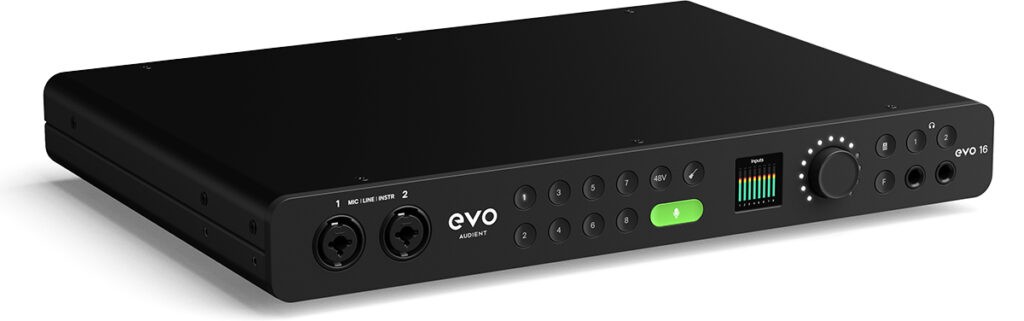
Brand: Audient
Number of analog inputs: 2 mixed instrument/microphone/line inputs at the front, 6 mixed microphone/line inputs at the back
Number of analog outputs: 8 line outputs and 2 headphone outputs
MIDI Inputs/Outputs: no
Power Supply: mains powered
Typical Use: intermediate home studio and need for many inputs/outputs
The EVO 16, released relatively recently, is not yet the most well-known in France, but its excellent value for money means I have to mention it in this list of “best audio interfaces”.
Indeed, for the price, you really get a lot of features in the box (except for MIDI).
If you have a little time, you can check out my detailed video review:
You will find 8 microphone preamps (two of which can serve as instrument inputs), 8 line-level outputs, two pairs of ADAT inputs/outputs, two headphone outputs…
And in addition to all this, the user interface linked to the small LCD screen at the front of the interface has been designed to be extremely simple, which greatly facilitates handling.
And, particularly convenient for drummers (you will see it in the video above), the EVO 16 includes an autogain feature that allows you to adjust the preamp levels in just a few clicks.
► Compare prices for the Audient EVO 16 at: Thomann Amazon Woodbrass
12. RME Fireface 802 FS

Brand: RME
Number of analog inputs: 4 mixed instrument/microphone/line inputs, 8 line inputs
Number of analog outputs: 8 line outputs, two headphone outputs
MIDI In/Out: yes
Power supply: mains powered
Typical use: advanced home studio and need for many inputs/outputs
Ah, how I wish I could recommend all RME interfaces here! 🙂
But the list would be far too long, and it clearly wouldn’t help you choose the next audio interface for your studio.
What is certain is that if you:
- are looking for an interface with many inputs/outputs
- want stable and high-end equipment
- without spending 2000 euros
…then the RME Fireface 802 is an obvious choice.
On the front, 4 inputs with preamps allow you to directly connect your microphones. At the back, 8 additional line inputs provide the possibility to connect synthesizers or additional preamps.
In addition, there are AES/EBU digital connections as well as two pairs of ADAT ports – which will easily allow you to expand your studio size without ever changing interfaces.
MIDI ports, of course, complete this magnificent interface equipped with high-end converters.
All of this, Made in Germany, which almost explains the excellent overall build quality.
In short, a choice that is certainly expensive but will allow you not to change interfaces for many years.
► Compare prices for the RME Fireface 802 FS at: Thomann Amazon Woodbrass
Comparison table of the best home studio audio interfaces
To help you with your choices, I have grouped all the recommended external sound card models mentioned above in the table below.
Tip: you can scroll horizontally through the table using the scrollbar (on PC) or by dragging it left and right (on smartphone).
| Focusrite Scarlett Solo | Behringer UMC404HD | Focusrite Scarlett 2i2 | Steinberg UR22C | Audient iD14 mkII | Motu M2 | Solid State Logic SSL2+ | RME Babyface Pro FS | Universal Audio Apollo Twin X | Focusrite Scarlett 18i20 | Audient EVO 16 | RME Fireface 802 FS | |
| Image |  |  | | |  | | 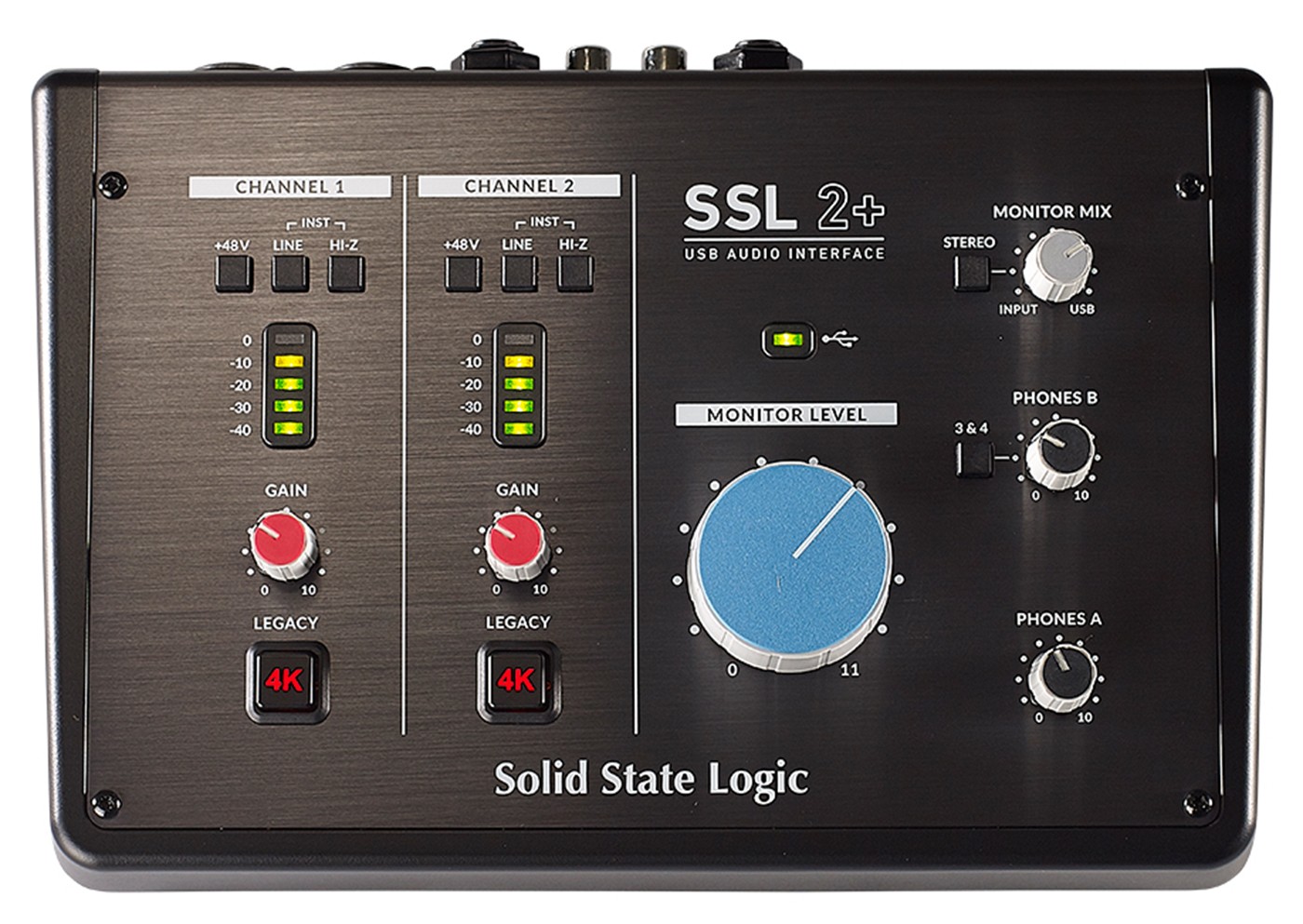 |  | 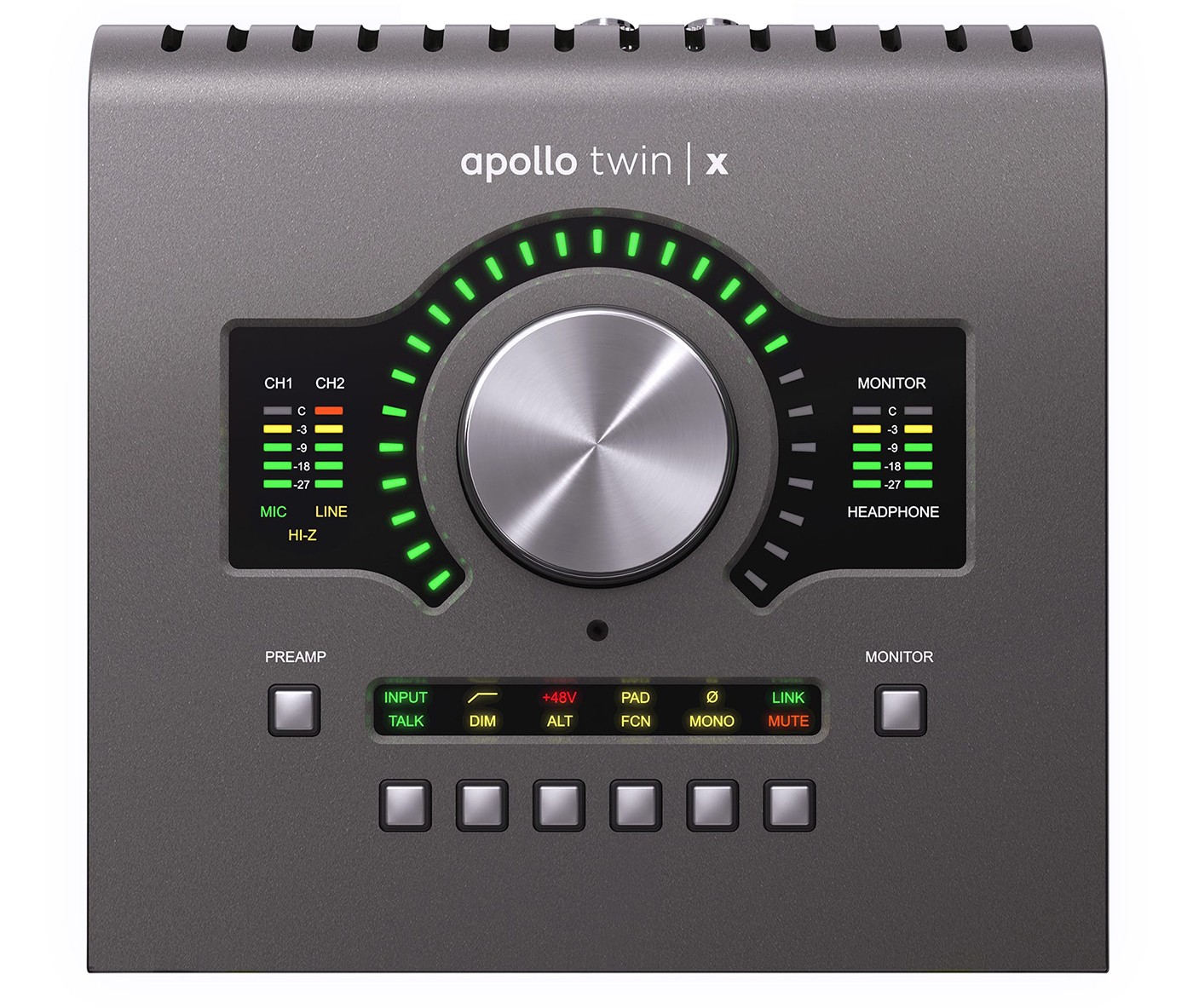 |  |  |  |
| Instrument Inputs | 1 | 4 | 2 | 1 | 1 | 2 | 2 | 2 | 1 | 2 | 2 | 4 |
| Microphone Inputs | 1 | 4 | 2 | 2 | 2 | 2 | 2 | 2 | 2 | 8 | 8 | 4 |
| Line Outputs | 2 | 6 | 2 | 2 | 4 | 2 | 4 | 4 | 4 | 8 | 8 | 8 |
| Headphone Outputs | 1 | 2 | 1 | 1 | 2 | 1 | 2 | 2 | 1 | 2 | 2 | 2 |
| MIDI? | No | Yes | No | Yes | No | Yes | Yes | Yes | No | Yes | No | Yes |
| Resolution | 24 bits / 192 kHz | 24 bits / 192 kHz | 24 bits / 192 kHz | 24 bits / 192 kHz | 24 bits / 96 kHz | 24 bits / 192 kHz | 24 bits / 192 kHz | 24 bits / 192 kHz | 24 bits / 192 kHz | 24 bits / 192 kHz | 24 bits / 96 kHz | 24 bits / 192 kHz |
| Power Supply | via USB | AC powered | via USB | via USB 3 or AC powered | via USB | via USB | via USB | via USB or AC powered (AC recommended) | AC powered | AC powered | AC powered | AC powered |
| Recommended Use | Beginner and/or solo musician, small budget | Beginner, very small budget, need for a good number of inputs/outputs | Beginner, small home studio or mobile use | Beginner, small home studio or mobile use | Beginner, solo musician, intermediate home studio | Beginner, small home studio or mobile use | Small home studio, intermediate home studio | Advanced home studio | Advanced home studio | Beginner/intermediate and need for many inputs/outputs | Beginner/intermediate and need for many inputs/outputs | Advanced home studio and need for many inputs/outputs |
| See Price on | Thomann Amazon Woodbrass | Thomann Amazon Woodbrass | Thomann Amazon Woodbrass | Thomann Amazon Woodbrass | Thomann Amazon Woodbrass | Thomann Amazon Woodbrass | Thomann Amazon Woodbrass | Thomann Amazon Woodbrass | USB Version: Thomann Amazon Woodbrass Thunderbolt Version: Thomann Amazon Woodbrass | Thomann Amazon Woodbrass | Thomann Amazon Woodbrass | Thomann Amazon Woodbrass |
Note: all the interfaces recommended here have phantom power.
Audio Interface FAQ (or External Sound Cards)
Beyond my selection above, here are some answers to the most common questions regarding studio and home studio sound cards.
Is it mandatory to have an audio interface?
Yes and no.
If you want to record anything, yes, it is essential.
If you are just producing electronic music, you can start by plugging your headphones directly into your computer.
That said, the headphone amplifiers built into PCs are generally not up to par with those found in external sound cards, so I recommend investing in a quality interface as soon as you can.
Where does a sound card/interface connect?
Generally, you will connect your interface via USB or Thunderbolt to your computer.
But it is also possible to connect it (if its operation allows) to a tablet or even a phone.
I’m experiencing crackling with my audio interface, what should I do?
Don’t worry, this is part of the usual problems encountered with external sound cards.
► Here is a detailed guide to fix crackling and popping issues with your audio interface.
Is sound card X compatible with software Y?
All the audio interfaces presented in this article are compatible with the main music software on the market.
In fact, their operating principle means there should be no specific compatibility issues with any particular software – unless you are using really obscure tools.
The proper functioning of an interface is more related to the operating system of the computer.
That’s why interface manufacturers need to release updates from time to time.
What driver should I use with my sound card? Should I use Asio4All?
With a few exceptions (Behringer…), each manufacturer offers its own drivers.
In general, they are available on the official brand website.
Even if your interface comes with a CD-ROM, it is better to download the version available on the site to ensure you have the latest update.
Moreover, sometimes advice is given suggesting that you should use the Asio4All driver instead of the manufacturer’s sound card driver.
For me, it’s just a “last resort” solution in case of problems. Without going into technical details, Asio4All is not a real Asio driver, so it’s better to avoid using it.
► To properly configure your sound card, check out this tutorial.
With my audio interface, will I be able to record multiple instruments at the same time?
Most of the time, yes.
On some mixing consoles that act as USB interfaces, it is often the stereo signal coming from the console that can be recorded, which is not very practical.
However, generally speaking, on external sound cards like those presented above, you will be able to record as many simultaneous tracks as there are inputs.
However, be careful: sometimes, instrument inputs may seem separate but are actually connected to a microphone input. In this case, you will have to use either one or the other.
If in doubt, all manufacturers provide their interface manuals online: the simplest thing is to check what is stated in them.
Can a mixing console be used instead of an interface?
Most of the time, I find that it is a bad idea in a home studio.
I explain why in this article.
Can I use a USB microphone instead of an interface?
Objectively, I would not recommend it.
USB microphones actually contain “mini-audio interfaces”. That is, a preamp, a converter, and a headphone preamp.
The problem, therefore, is twofold:
- manufacturers try to keep the price quite low;
- there is not much space in the microphone to put complex circuits.
With, consequently, two major consequences:
- the sound quality is often improvable (and it doesn’t have all the necessary features to record under good conditions);
- in the short or medium term, as soon as you want to improve your home studio, you will have to replace this microphone. So, in the end, a loss of money.
Also, I strongly discourage the use of USB microphones in a home studio recording logic – unless the budget really doesn’t allow for anything else.
I make electronic music and I only need a headset and a USB MIDI keyboard, should I use an audio interface?
Yes and no.
You can very well produce your music by plugging your headset into the headphone jack of your computer – at least, initially, that’s already quite sufficient.
However, the headphone amplifiers built into computers are rarely of excellent quality.
Also, I find that switching to an external interface dedicated to home studio use will improve sound quality and help you plan for the future.
Who knows, maybe you’ll need to add one or two analog synthesizers tomorrow? 😉
In conclusion
There you go, you know everything there is to know about audio interfaces for studios and home studios. Now all that’s left is to choose!
► Keep reading by checking my other home studio equipment recommendations 😉