
Which mixing console should you buy for a home studio?
The answer is simple: none.
I agree: when we talk about a recording studio, we often think of large mixing consoles, with all their buttons and sliders. So, for a home studio, it seems logical to lean towards the same kind of equipment, albeit in a more modest size.
On the other hand, it is true that for many people, it is more pleasant to have a physical mixing console, with sliders that can be moved and adjusted.
Maybe that’s the case for you – for me, there’s no doubt. 🙂
However, we must face the facts: for a home studio, it’s rarely the best choice.
Explanations…
Is a Mixing Console Necessary?
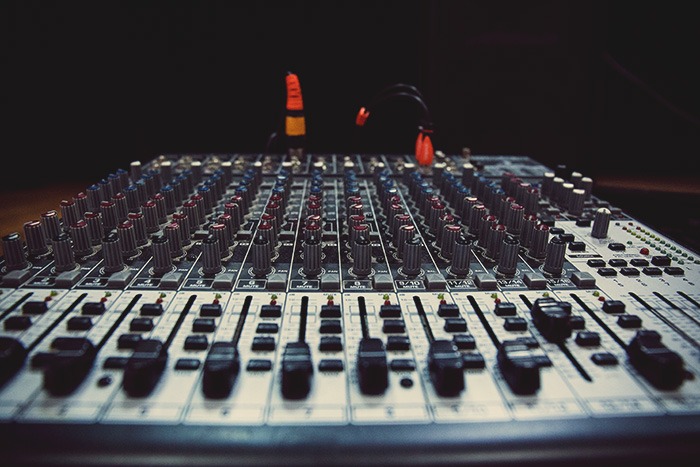
A mixing console, Wikipedia tells us, “is a tool used to mix (blend) multiple sources of music or any other audio signal.”
So, not really dedicated to recording, but rather to blending different instruments and voices.
Indeed, the primary use of a mixing console is to manage the volume of each track separately. For example, you can raise the volume of the microphone on track 1 and lower that of track 2.
You can also manage the panning (or pan) of each track, which is the position of the sound between left and right.
Useful for concerts… but what’s the point when you’re recording your music at home?
In practice, none.
The fact is that mixing software today is extremely powerful. They allow you to make all these volume and pan adjustments, and much more.
It is therefore much smarter to record all instruments at the same level, and then mix them directly on your computer. This allows, in particular, to easily correct mistakes at any time!
And for that, you don’t need a mixing console! A simple audio interface is usually sufficient:

WHY A MIXING CONSOLE IS A BAD CHOICE
Preamps
Preamps are the electronic circuits that allow you to adjust the volume of your incoming audio signal.
To record instruments or microphones and achieve quality sound, you need good preamps. Otherwise, you risk losing definition, having noise issues, and other background sounds.
Between a mixing console with a built-in sound card (which can be plugged in via USB) and an audio interface, you may sometimes notice differences in quality in these preamplifiers.
Indeed, the console will contain several preamps, along with a large number of other options and components. In contrast, for the same price, the interface will offer fewer options but with enhanced quality.
Equalizers
Most of the time, mixing consoles have a series of equalizers on each track, in the form of knobs allowing adjustments for bass, midrange, and treble.
While they are very useful for managing many instruments in a concert or during a rehearsal, they become absolutely useless in a home studio.

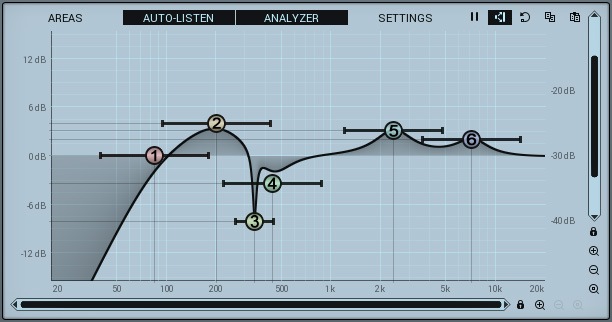
Indeed, since they have very few parameters, they won’t allow you to make precise equalizations. So if you want to precisely correct a frequency that resonates in the sound of your voice or guitar, it will be impossible.
On the other hand, this is exactly the type of adjustments you can easily make from your sequencer software with an equalization plugin. Your work will be more precise, easier, and above all, you can change your mind and modify the equalization without having to re-record everything.
The USB interface and converters
To transform an audio signal into a digital signal understandable by the computer, you need to use what is called an analog-to-digital converter (AD/DA).
As with preamps, it is quite important that this is of good quality, in order to reproduce the sound in digital format as faithfully as possible.
Again, it is useful to ask the question of the quality of the components for a mixing console and an interface at the same price…
On the other hand, if you choose a non-USB mixing console, you will encounter other problems.
Indeed, to record your instruments, you will need to connect it to an audio interface. As you add an (ultimately unnecessary) link in the signal chain, you will thus increase the risks of background noise and loss of quality, especially if one of the two devices is rather low-end.
Better to use an interface directly!
Effects
Moreover, mixing consoles often contain an effects module or the possibility to add external effects (Send FX). For example, reverbs or delays.
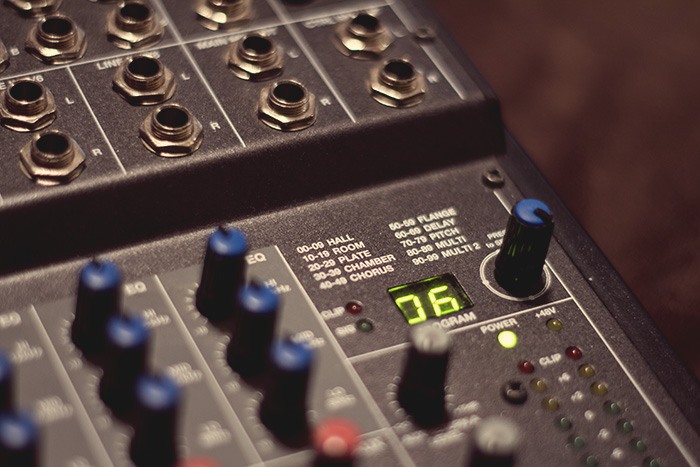
However, like equalizers, it is much better to add them in your software after recording. There are indeed plenty of reverb plugins that will fully satisfy you.
Thus, in general, I advise you to record your instruments with as few effects as possible. This will give you more flexibility during your mixing.
It takes up space!
You probably noticed that.
That said, my article wouldn’t be complete if I didn’t mention it: a mixing console is quite large. And heavy.
Much more than an audio interface.
So it’s a bit less convenient to transport and store. If your desk is already small, it can quickly become awkward. Don’t forget this aspect of the question.
What if I need more inputs?
It is true that a large number of audio interfaces aimed at “home studio” only have two inputs. If you want to record a drum kit, you will need more inputs to be able to connect all your microphones simultaneously.
Maybe that’s why you thought you needed a mixing console.
However, you have two other options that are much more suitable for a home studio context.
The first is simply a more advanced interface, such as the Scarlett 18i20 from Focusrite, which has 8 inputs with preamps:

This is sufficient (and even too much) for a large number of home studio users.
Another option, if you have an interface that allows it, is to connect a multi-channel preamp like an Octopre via an ADAT cable, which will act as an extension of your interface:

With this, you add 8 additional inputs with preamps to your sound card. Plenty enough to cover most situations you will encounter.
In summary
You will have understood, a mixing console is often unnecessary in a home studio.
Of course, there are always exceptions, but if you are just starting out, it’s just the best way to complicate your life.
And I must admit: I made the mistake of buying a mixing console a long time ago. And I would like to help you avoid making the same mistake 😉
So, even though they have fewer options, I recommend you turn to audio interfaces. They are much more common in home studios and much easier to use.
Finally, feel free to ask your questions in a comment below — I will respond as soon as possible…