
MIDI keyboards, also known as master keyboards (it’s the same thing), are part of the essential equipment for home studios.
But as usual when it comes to music, choosing a model can quickly become complicated.
Especially if it’s your first time buying this type of keyboard.
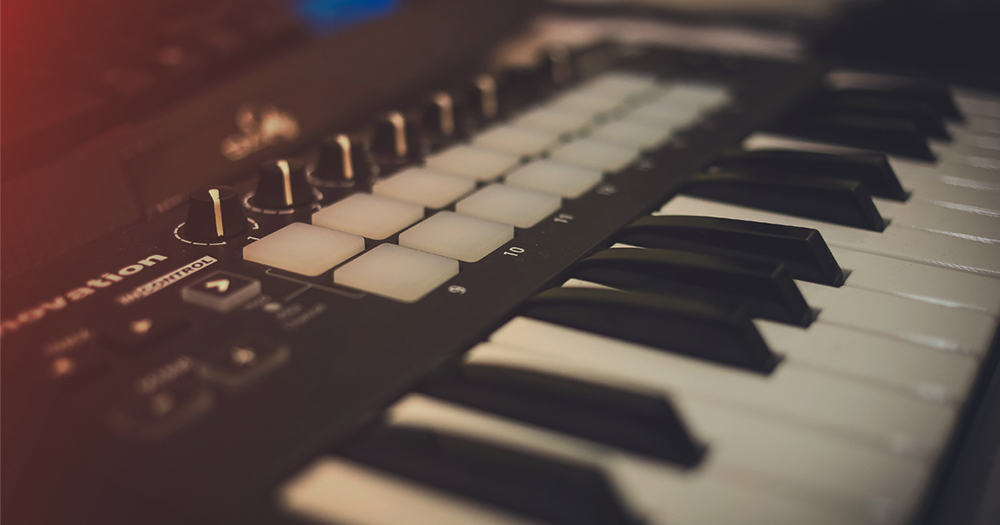
Indeed, whether you’re looking for a beginner MIDI keyboard to control some samples on your computer or a complete master keyboard to record professional compositions, you’ll soon be faced with a multitude of models with various features.
The result is that it’s particularly difficult to ensure that the keyboard you choose will truly be a good MIDI keyboard.
Sure, there are many nice models. Most “do the job,” as they say.
But some stand out clearly from the crowd.
So to help you, I’ve created this comparison of the best MIDI keyboards, highlighting the target usage type each time.
Note that the article itself aims to be a sufficiently detailed buying guide to help you select the model that will suit you. However, if you simply want to see the models I recommend, head to the comparison table at the bottom of the page… 😉
How to Choose a Good MIDI Keyboard?
Before buying a MIDI keyboard, it’s important to keep in mind the main criteria to consider.
Indeed, while some features may be somewhat secondary for most users, others are really important for making a choice.
To keep it simple, there are a few questions you need to answer before choosing a master keyboard:
- What do I want to do with it? Do you want to control virtual instruments on PC from your DAW? Do you need to trigger drum or percussion samples? Do you simply want to control analog synthesizers (like Moog, for example)?
- How many keys? MIDI keyboards range from 25 to 88 keys, with all possible intermediates. So, roughly speaking, from 2 to 7 octaves.
- 25 keys: ideal if you don’t have much space or for mobile use, this format will mainly be useful for controlling synthesizers (virtual or analog) while playing with one hand. For example, 25 keys will be enough to play bass lines on a monophonic synth. However, it will be difficult to play very complex melodies or realistic sample banks as the 2 octaves will be a real limitation.
- 32 to 49 keys: for me, this is a very suitable format for home studios, unless you really have space. With these 3 or 4 octaves, you can do quite a bit — especially if you mainly want to control synthesizers (software or hardware).
- 61 keys and more: I find this more oriented towards professional use or if you want to play piano while benefiting from the large number of available octaves. If you have the space and budget, having a large keyboard will, of course, allow you to do everything that smaller keyboards can do.
- What connectivity to choose? MIDI keyboards can have MIDI or USB connections. Or both.
- With a USB connection, you can connect the keyboard to your computer to control virtual instruments. However, it’s impossible to connect them directly to a hardware synthesizer (unless possibly going through an interface).
- With a MIDI connection, you can connect your keyboard directly to hardware synthesizers or to your interface if it has a MIDI IN input, of course.
- What touch to choose? MIDI keyboards are generally divided into 3 types based on touch. That is, the feel when pressing the keys:
- Synth-action (non-weighted): the basic touch, as can be felt on some synthesizers. There is just a small spring under the key, which causes the key to return very quickly. Not necessarily ideal for very expressive playing, but generally completely suitable for controlling a synthesizer or playing fast melodies. If you are not a pianist by nature, this type of touch will likely be the easiest to use.
- Heavy touch: this is the touch as one might have on a real piano. Very pleasant for playing this type of instrument, very expressive, but also much more expensive and sometimes less suitable for playing synthesizer-type instruments. If you are used to playing the piano or mainly compose music for piano, it is still a good choice.
- Medium-heavy touch: an intermediate choice between the first two. The response of the keys, therefore, is “semi-realistic”.
- What features do I need? Do you simply need a keyboard? Do you want to be able to control the parameters of your instruments via potentiometers, or control levels via faders? Do you need transport buttons (play/stop/record…) to control your DAW? Do you want to trigger percussion samples using velocity-sensitive pads? When in doubt, it’s better to have too many features than not enough…
- Do I need a keyboard with Aftertouch? Keyboards with aftertouch technology, which is related to the MIDI standard, send an additional signal indicating the pressure with which the keys are pressed after the initial pressure. This allows for much more expressive playing on certain virtual synthesizers.
- What software comes with my MIDI keyboard? This may be a minor detail, but I find it interesting to look at the software or samples offered as bonuses when you buy a MIDI keyboard. Some brands offer more interesting packages than others.
My selection of the best MIDI keyboards for your studio
Now that you have all the information to help you choose your next MIDI keyboard, let’s get down to business with this selection of 6 of the best master keyboards.
A note in passing: there are other models that are good. However, these are safe bets that will undoubtedly satisfy you 😉
1. AKAI LPK 25

Brand: AKAI
Connectivity: USB only
Usage: beginner or “on-the-go” mode
Touch: non-weighted
The LPK 25 is the smallest keyboard in this selection.
Clearly suitable for beginners who want to get a first low-cost MIDI keyboard to start playing a few notes or some lines of virtual synths, it is also a model that will lend itself well to portable use, for example if you take it on a trip.
In terms of features, the size and price mean it is necessarily a bit limited. For example, there are no Pitch Bend and Expression wheels (these two wheels that are usually found on the left side of keyboards and allow for dynamic control of pitch and certain instrument parameters).
However, a small arpeggiator is built into the keyboard, which I find quite nice — especially given the very low selling price.
Finally, the keys may seem a bit stiff but they are sturdy, giving this small MIDI keyboard a very good price/quality ratio.
► See the price at: Thomann Woodbrass Amazon
3. Arturia Keystep

Brand: Arturia
Connectivity: USB and MIDI
Usage: mainly for controlling analog or digital synthesizers
Touch: non-weighted, slim-key
I love Arturia keyboards. Just the design is beautiful.
The Keystep is probably my favorite on this list, as it is of very good quality but especially offers an aftertouch MIDI keyboard at a very reasonable price.
The format is a bit atypical, as the Keystep has 32 keys, which is 3 octaves.
Moreover, its size is quite compact, because it is mainly a keyboard made for playing on synthesizers without having to control dozens of parameters. This explains the absence of potentiometers or pads.
On the other hand, the Arturia keyboard offers a very nice polyphonic arpeggiator (64 steps and up to 8 notes per step) as well as a series of more classic transport buttons to control your DAW.
For me, this keyboard is ideal if you want to control hardware synthesizers, due to its streamlined features. Note that in addition to MIDI connectivity, the Keystep also offers several CV/Gate outputs.
► See the price on: Thomann Woodbrass Amazon
Brand: Novation
Connectivity: USB and MIDI
Usage: classic home studio, live
Touch: semi-weighted
The Impulse 49 from Novation is a very good alternative to Arturia’s Keystep mentioned above if you need an efficient keyboard for a home studio with a more complete set of features.
Indeed, the Impulse 49 features a 49-key semi-weighted keyboard with aftertouch, which is really very useful.
In addition, it includes 9 faders, 8 pads, 8 knobs, and transport buttons to control just about everything you could imagine.
Clearly, everything is in place to make this Novation MIDI keyboard a solid machine (the build quality itself is very good, more so than on other models from the same brand) and useful in the long term.
Note that the backlit LCD screen makes it a useful master keyboard for live playing.
A very good investment for your (home) studio.
► See the price at: Thomann Woodbrass Amazon
5. Arturia Keylab Essential 61

Brand: Arturia
Connectivity: USB and MIDI
Usage: classic home studio
Touch: unweighted
We find again the sleek design of Arturia with this 61-key keyboard that will easily find its place in your home studio if you need an efficient MIDI workstation with a keyboard featuring many octaves.
Indeed, the Keylab Essential 61 has, as its name suggests, 61 keys (which unfortunately are not weighted and do not have aftertouch…what a shame!), which should cover a wide range of possible uses.
In addition, it includes 9 faders, 9 knobs, and 8 pads (which do have aftertouch technology), as well as a large number of control buttons that will facilitate integration into your workflow.
It is worth noting that below the knobs, names indicate which parameters they control, even though in practice you can assign them to anything. You may appreciate this or not, but in use, I find it makes sense.
► See the price at: Thomann Woodbrass Amazon
6. Native Instruments Komplete Kontrol S61 MK2

Brand: Native Instruments
Connectivity: USB and MIDI
Usage: more for advanced users
Touch: semi-weighted Fatar keyboard
Certainly, the Komplete Kontrol S61 from Native Instruments is much more expensive than the other MIDI keyboards in this selection — but it is undoubtedly one of the ultimate studio keyboards as it integrates a number of interesting features.
For me, it is not really dedicated to everything that is percussion/beats (Native Instruments has other products covering this type of use).
However, for controlling synths or sound libraries (orchestras, acoustic instruments, sample libraries of all kinds), this MIDI keyboard is absolutely perfect.
Even more so if you rely on the brand’s software (Komplete / Kontakt — knowing that there are many third-party publishers offering sound libraries for Kontakt) or NKS-compatible synthesizers. For example, the excellent plugins from U-He are compatible with this technology, which allows for very good integration between the virtual synth and the keyboard.
Beyond this software aspect, the keys of the Komplete Kontrol S61 are semi-weighted (Fatar mechanics) and the whole is of very good quality.
We will note in passing the “light guide”, these small lights above the keys that allow you to identify the key areas. Useful, for example, to identify which part of the keyboard controls which instrument or to visualize the scales.
In short, professional gear without a doubt!
► See the price on: Thomann Woodbrass Amazon
Comparison table of selected MIDI keyboards
To facilitate your choice, I have grouped in the comparison table below the main information regarding the keyboards mentioned earlier in the article.
Tip: you can scroll the table horizontally using the scrollbar (on PC) or by dragging it left and right (on smartphone):
| AKAI LPK 25 | AKAI MPK mini Mk2 | Arturia Keystep | Novation Impulse 49 | Arturia Keylab Essential 61 | Native Instruments Komplete Kontrol S61 MK2 | |
| Image |  |  |  |  |  |  |
| Number of Keys | 25 | 25 | 32 | 49 | 61 | 61 |
| Touch | non-weighted | non-weighted | non-weighted | semi-weighted | non-weighted | semi-weighted |
| Pitch Bend / Modulation | no | yes | yes | yes | yes | yes |
| Pads | 0 | 8 | 0 | 8 | 8 | 0 |
| Faders | 0 | 0 | 0 | 9 | 9 | 0 |
| Knobs | 0 | 8 | 0 | 8 | 9 | 8 |
| Aftertouch | no | no | yes | yes | pads only | yes |
| Connectivity | USB | USB | USB+MIDI | USB+MIDI | USB+MIDI | USB+MIDI |
| See price on | Thomann Woodbrass Amazon | Thomann Woodbrass Amazon | Thomann Woodbrass Amazon | Thomann Woodbrass Amazon | Thomann Woodbrass Amazon | Thomann Woodbrass Amazon |
In conclusion
Congratulations, you have made it to the end of this article! 🙂
Above all, if you have any questions, feel free to leave them in the comments: I will of course respond to everyone.
And finally, to go further in setting up or improving your home studio, I invite you to check out my comprehensive equipment guide for the studio