
Are you looking for a computer for music production (Music Assisted by Computer), music production, or mixing in a home studio?
Maybe your current computer is a bit old, and you feel its limits when producing your music?
Or perhaps you want to equip yourself to start in a home studio, investing in a real machine that will allow you to record your demo or album under optimal conditions?
In that case, it’s perfect: whether you are looking for a professional music production computer or a cheap little laptop to make music, you have come to the right place! 🙂

Computers evolve very quickly, making it difficult to know which one to buy, especially when you have specific needs.
And the fact is that, while computers today are very fast, not all of them are suitable for music production or mixing in a home studio.
That’s why I’ve prepared this detailed guide to help you in your choice, so that it matches the home studio equipment you already own or will select.
The goal is to save you from spending dozens of hours comparing models and features online without knowing which computer to buy for your home studio.
Here are the topics we will cover in this article:
- The criteria for choosing computers for home studio and music production
- My advice #1 regarding computers for home studio and music production
- The best computers for home studio and music production
- Accessories for your home studio computer
The criteria for choosing computers for home studio, music production, and music production
Of course, as soon as you are looking to buy a laptop or desktop computer for making music, you need to pay attention to all sorts of criteria.
Because, believe it or not, the software commonly used in home studios uses quite a bit of resources.
Less than gaming or video, but still quite a bit.
Here are the main criteria you should consider before making your choice for your next studio computer.
Mac or PC?
This is often the big question when talking about computers: some prefer the Apple brand, while others prefer the Windows interface.
Objectively, it’s an endless debate that mainly boils down to differences in taste and priorities.
But in the context of home studio recording, which is better?
Well, there isn’t really one. It’s often said that Macs are more reliable and faster. This might be because they all come from the same brand, while PCs are produced by many different companies… with different quality standards.
In reality, many recording studios use MacOS, and many recording studios use Windows.
Moreover, the majority of studio software, such as DAWs, are compatible with both MacOS and Windows.
So how to decide between the two operating systems?
For me, the first thing to consider is the budget: Macs are significantly more expensive. If you have a small budget, it is therefore much more interesting to go for a Windows PC rather than a Mac (even if you have the option to go for a second-hand Mac, and even if Apple’s “new” M1/M2/M3 chips are really powerful for music production).
Then, ask yourself about your experience with each of the two systems: working in a home studio, especially when starting out, can be complex.
That’s why I simply recommend choosing the platform you are already comfortable with. That way, in case of problems (especially regarding computer configuration), you will already be familiar with the interface.
Laptop or Desktop?
Another important question, which you can answer by asking yourself the following:
Do I need to move my computer regularly?
If you are certain that your computer will stay on your desk — for example, if it is solely dedicated to your home studio — opt for a desktop machine (« tower »).
Indeed, the power-to-price ratio is much more interesting, and in case of a problem with a component in the future, repairs will be much easier to implement.
However, if you plan to move your computer from time to time, to record your band in a rehearsal room or to surf the internet at the local café, then I can only advise you to get a laptop.
Note: Do keep in mind that the screen of a laptop is small, which can quickly become tiring when you are working on mixing.
That said, if your goal is simply to record one or two musicians, it shouldn’t really pose a problem…
As much as possible, I recommend you lean towards desktop computers of the “tower” type.
Sure, this will be a bit restrictive in terms of mobility (but it moves very well: mine made a round trip to Indonesia by boat) – but above all, it will allow you to work with a more powerful and potentially more reliable machine in the long term.
The storage device (hard drive, SSD…)
Now let’s move on to everything that is components inside the computer.
Maybe this topic interests you, but maybe not at all :D!
It’s true, it can be a bit technical and a bit tedious.
That said, a poor choice of computer for music production or home studio in general can have a very strong impact: high latency between your audio interface and your PC, crackling in the sound…
So, here are some tips regarding the main components of computers, starting with the storage device – which is often an aspect overlooked by beginners in home studio.
Indeed, recording and music production involve that you will have large audio files. Your software will need to access them very quickly to be able to play them in real time when you click the « play » button.
So yes, a number of things are stored at the RAM level that we will talk about just after, but the storage device is just as important.
Storage device technology
Overall, there are two major technologies:
- traditional hard drives;
- SSDs.
The latter are much faster and have a theoretically longer lifespan.
On the other hand, they cost (a bit) more.
Both options work well for the home studio – that said my preference necessarily goes to SSDs which are much more efficient and today much cheaper than they used to be.
However, if you choose to make music with a computer that has a traditional hard drive, make sure it runs at least at 7200 revolutions per minute (7200 rpm). Avoid drives running at 5400 rpm, which are not at all suitable for home studio use.
The size of the storage device
Next, make sure the size is sufficient: on some PCs, storage is kept to a minimum. For example, we often see small-sized SSDs, which will indeed make the computer responsive but will not allow you to store your audio files.
For me, the minimum to have for working under good conditions is 1 terabyte (1 To). A 512 GB drive will still be usable but will likely require the use of additional external storage in the short term.
The processor

On your computer, you will probably install a DAW (which is generally essential for working in music production), and add all sorts of effect plugins to mix your musical productions.
However, generating sounds and effects in real time requires a lot of resources. Often more than the “consumer-grade” computers can provide.
So, it is important to select a computer with a powerful processor that can perform many calculations in a limited time.
Specifically, for a home studio / music production application, this means:
- a processor speed of at least 3 GHz (ideally, above 4.0 GHz)
- a processor with at least 6 cores (8 cores or more is much better)
Specifically, if we look at what this means regarding the Intel processors that equip many PCs on the market: preferably go for Core i5 or Core i7, and avoid Core i3 which will be too limited.
On the other hand, there’s no need to go for more powerful processors like Core i9, unless you really have the budget: the performance gain for a DAW PC is quite low, I find — and then it consumes more power and requires better cooling.
RAM (Memory)
RAM, or Random Access Memory, is where data is temporarily stored when you use a computer.
For example, other web pages you may have opened in your browser are stored in RAM.
In the case of a studio computer, and typically if you are doing DAW work using samplers like Kontakt, samples are often stored in RAM.
This is why, if you have too little in your machine, you will face significant problems.
Specifically, you need at least 16 gigabytes of RAM.
If possible, 32 GB will be much more comfortable, because today applications use much more RAM than before.
For example, at the time I’m writing this, my web browser (Edge) consumes 1 GB of RAM just with a few tabs open.
Note: not all commercially sold models have this much RAM.
You need to check for each model, but it is often possible to add one or more RAM sticks to improve the machine.
This can actually be part of an upgrade that you do at a later time, or only if you encounter problems.
Connectors
The audio connectors present on the computer are of course not important, since you will likely use a dedicated audio interface in your home studio.
However, it is important to pay attention to everything related to USB (or Thunderbolt) connections — especially if you plan to buy a laptop.
Indeed, as long as it’s about connecting a mouse, a keyboard, or a USB stick, it’s always possible to use hubs to multiply USB ports.
However, if you connect too many things to your hub, performance can deteriorate… which necessarily poses a problem when talking about an audio interface (ideally, never connect your audio interface to a hub).
So make sure you have enough available ports on the computer you choose!
My advice #1 regarding computers for home studio and DAW
Further down in the article, you will find a selection of computers particularly suited for the studio.
Before that, however, I would like to recommend what seems to me to be the most relevant approach for a home studio, as long as you have a bit of space and are not too technophobic.

What I recommend
For me, the ideal for a home studio is to build or have a desktop computer built.
This is what I did with my own PC for my studio.
Yes, it can be a bit scary if you’ve never ordered this type of thing: you may even feel that the “ready-made” computers on the market are a simpler / more reliable solution.
However, in this article about home studio computers, I think I would not be honest if I did not mention building computers as a serious solution for music production and mixing.
And this, for several reasons:
- For the same price, a desktop PC will be much more powerful than a laptop;
- For equal power, a custom-built desktop PC will be cheaper than a commercial PC;
- The components of commercial PCs are not always the latest. For example, when version 13 of Intel i5 processors is on the market, many pre-built PCs are still on version 12;
- In a home studio, a desktop PC allows you to work under better conditions (screen size, power, more numerous connectors…) than a laptop.
But if I build or have my PC built, how will I know which part is compatible with which other?
Yes and no.
Of course, you need to have at least a basic interest in the subject to understand what each part is for.
But for everything related to compatibility, there are great tools — the “configurators” — on major computer hardware sales sites that allow you to select the parts for your computer while ensuring compatibility.
Zero risk, therefore — and if in doubt, you can always give the brand a call for a little advice.
Here are the two configurators I recommend:
Both sites are completely reliable for placing orders: I had my wife’s PC built by LDLC, and I have friends who built theirs through Materiel.net without any issues.
In short, building (and especially having built through these sites) your PC is much simpler than one might think at first.
That said, not everyone is knowledgeable about computer components — and even if my advice above should guide you quite easily, I propose two computer configurations suitable for a home studio:
- a first “minimalist” configuration, deliberately “cheap”
- a second more expensive configuration similar to the one I use.
Note: in both cases, you can also add an assembly and Windows installation service (just add the option in the configurator).
If assembly can be a bit complex, installing Windows can be very simple if you buy your license separately (on Amazon for example) and if you inform yourself well about the procedure.
This assembly + installation cost can therefore be reduced by at least a hundred euros.
Computer #1 — “Minimalist” Config

For this configuration, I started with what I consider the minimum to have a good PC for music production or mixing, and especially to avoid being blocked by anything from day one.
► Click here to see the price of the config on: Matériel.net LDLC.com
| Component | Model | Notes |
|---|---|---|
| Processor | Intel Core i5 12500 | A good i5 processor. Note that it is not overclockable. |
| Cooler (CPU fan) | none | The processor box already includes a small fan — be sure to check when purchasing on the product sheet of the processor in case it changes. For something a bit better, look at the first models from the brand be Quiet. |
| Motherboard | Asus PRIME B760M-A WIFI D4 | The motherboard is relatively expensive but of good quality, and it includes Wifi which avoids having to buy an additional card for this feature. |
| RAM (Memory) | Corsair Vengeance LPX Black DDR4 2 x 8 Go 3200 MHz CAS 16 | 16 GB will suffice for a while, especially if you do not plan to use a lot of sample banks. |
| Graphics Card | none | This is not optimal, but DAWs and plugins can run using the processor’s graphics chipset. The price of graphics cards has risen due to COVID, so I prefer not to recommend one for this configuration at the moment. |
| Storage | Samsung 970 EVO Plus – 1 To | A reliable version of Samsung SSDs (avoid QVO). 1 To may be light in the long term, but it’s fine to start with. You can of course get a larger model or add a disk in the future. |
| Case | Fractal Design Core 2500 | Entry-level from a serious brand. |
| Power Supply | Corsair CV550 – Bronze | Basic power supply but of good quality. However, it will be too light if you add a graphics card in the future. |
Computer #2 — Config “as Home Studio Project”

For this configuration, my idea was to somewhat replicate the PC that I use myself — with of course updated components since my machine is a bit dated.
► Click here to see the price of the config on: Matériel.net LDLC.com
| Component | Model | Notes |
|---|---|---|
| Processor | Intel Core i7 12700K | A very good i7 processor, in the “K” version so overclockable in the future if the need arises. |
| Cooler (CPU fan) | Be Quiet DARK ROCK 4 | Almost top of the line from the brand, more than sufficient and ultra-quiet. |
| Motherboard | Gigabyte Z590 AORUS PRO AX | The motherboard is relatively expensive but of good quality, and it includes Wifi which avoids having to buy an additional card for this feature. It will allow for overclocking. |
| RAM (Memory) | Corsair Vengeance LPX 32 Go (2x 16 Go) CAS 16 | Very comfortable for work. After that, you could go for 64 Go to really avoid any issues on that side in the future. |
| Graphics Card | MSI GeForce RTX 3060 Ventus 2X OC (LHR) | Not essential at first since the processor includes a graphics chipset. I include a mid-range card for reference. Note that prices have significantly increased since COVID. |
| Storage | Samsung 970 EVO Plus – 2 To | Very reliable SSD, in the 2 To version for more comfort. |
| Case | Fractal Design Define C Black | The same case as mine, except for the tempered glass window. Really great, very quiet and well-ventilated. |
| Power Supply | Corsair RM1000e – Gold (ATX 3.0) | Modular power supply of very good quality, with a large power reserve to cover future use cases (or larger graphics cards). |
The best computers for home studio and music production
If, however, you do not wish to embark on the small adventure that custom PCs represent — which I completely understand — fortunately, there are many computers that can meet the needs of music production and studio work.
Therefore, I propose a selection of recent models that will serve perfectly for music production, starting with laptops and ending with “tower” formats.
1. ASUS F17 TUF706HF
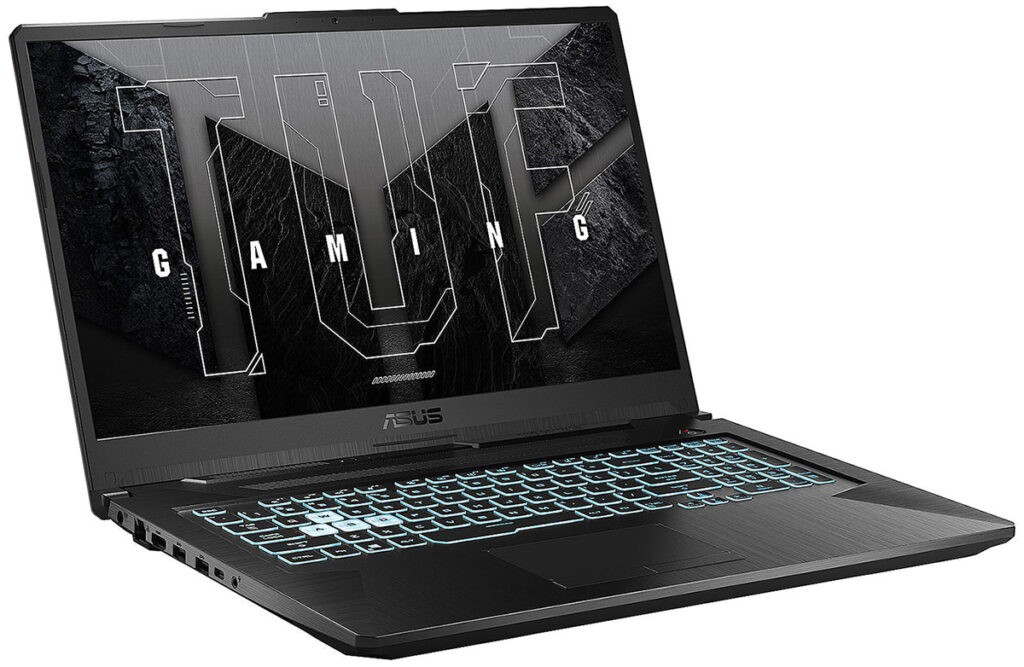
Brand: Asus
Processor: i5-11400H (2.2 GHz base, up to 4.5 GHz with Turbo Boost)
RAM: 16 GB DDR4
Storage: 512 GB SSD (NVMe)
Don’t be surprised by the gamer-oriented design: our performance needs for music mean that laptops for music production and home studio work are often also suitable for video games.
With this Asus laptop, you are set up well to work.
The processor is quite powerful, as it is a Core i5 that can reach up to 4.5 GHz. It is also supported by 16 GB of RAM, which will be sufficient in many music production situations — even if you load sample libraries.
In terms of storage, the 512 GB SSD is mounted in NVMe, which will optimize the speed at which you load and save your files. However, its size is quite limited, so you will probably need external storage systems in the long run for your files.
A GeForce RTX 2050 graphics card completes the setup: it’s a bit light, but it should normally be sufficient for all your music production applications and will even allow you to play from time to time.
In short, a good laptop for making music in a home studio context, with a fairly reasonable price.
► See the price of this model on: Amazon LDLC Matériel.net
2. ASUS F17 TUF707ZV4

Brand: Asus
Processor: i7-12700H (6 Performance-Cores 4.7 GHz Turbo + 8 Efficient-Cores 3.5 GHz Turbo – 20 Threads)
RAM: 16 GB DDR4
Storage: 512 GB SSD (NVMe)
With this Asus, we move into the category of superior performance compared to the previous model.
Indeed, this laptop features an i7 processor with 14 cores, which is of course very powerful today — but it will also increase the longevity of the machine as it will be “less quickly obsolete”.
Again, we find 16 GB of RAM, very sufficient for music production and mixing, and expandable to 32 GB.
The integrated 512 GB SSD will allow you to start working without any issues — however, I imagine that additional storage will be needed in the long run. Because, believe it or not, our audio files take up space!
Note, however, that this is not really a problem, as the computer includes an additional slot allowing you to install a second SSD.
Finally, the integrated graphics card (GeForce RTX 4060) will certainly facilitate the display of certain plugins but will also allow you to game if you wish.
As a result, this is a powerful laptop that is really nice for the home studio and music production.
► See the price of this model on: Amazon LDLC Matériel.net
3. Apple MacBook Air M1 16Go/512 Go
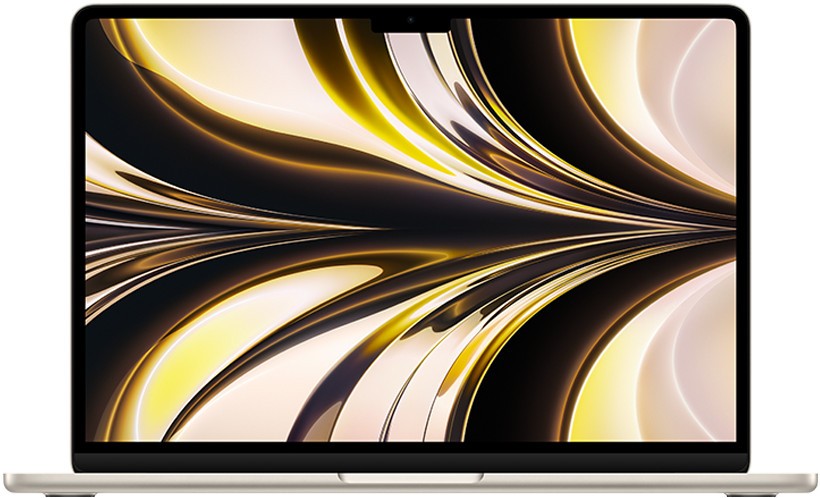
Brand: Apple
Processor: M2 Chip
RAM: 16 Go
Storage: 512 Go SSD
If you prefer to lean towards the Apple universe, I recommend looking at the MacBook Air featuring the famous M2 chip designed by the brand.
Indeed, while some users still encounter a few plugin display issues that will undoubtedly be corrected by the publishers, this new processor works very well and will be perfectly suited for home studio use.
Moreover, the integrated RAM and SSD will both offer good performance — even though the need for external storage systems will likely be felt quickly (but this is often the case for laptops from Apple).
In short, if you want a MacBook for your home studio, I highly recommend this model! 🙂
► See the price of this model on: Amazon LDLC Matériel.net
4. MSI MPG Trident AS 13NUC7-496EU
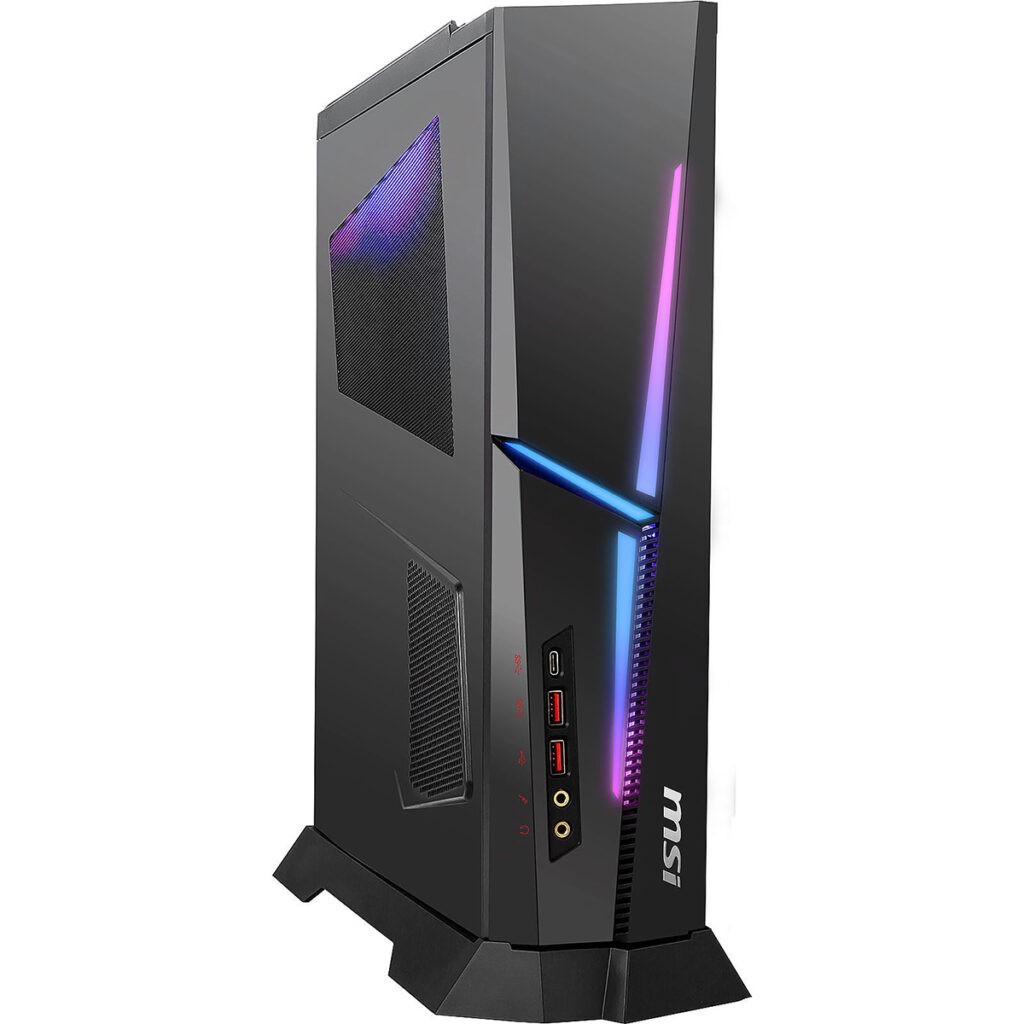
Brand: MSI
Processor: i7-13700F (8 Performance-Cores 2.1 GHz / 5.1 GHz Turbo + 8 Efficient-Cores 1.5 GHz / 4.1 GHz Turbo – 24 Threads – 30 MB Cache)
RAM: 8 Go DDR4 memory
Storage: 1 To SSD
Now let’s move on to “tower” type computers.
It’s very difficult for me to recommend many different models, however, as there are fewer models available than before. This is likely due to the increasing use of portable devices.
In short, this MSI model I suggest is powerful (more powerful, in fact, than the laptops mentioned above) — but if your budget allows, I would advise you to go for the custom configurations I recommended earlier in the article. The value for money will be maximized.
That said, in this MSI Trident, you have an i7-13700F processor with sixteen cores, which will work perfectly well for many years for MAO and mixing.
The RAM will be a bit light, so I think you’ll need to open it up soon to add a stick (we sometimes fear this, but in reality, the procedure is very simple).
Finally, in terms of storage, you’ll be comfortable with a 1 terabyte SSD, which will be more than sufficient at least for the beginning.
In short, with a Nvidia RTX 4060 graphics card inside, this makes it a good PC for making music at home and also suitable for gaming.
► See the price of this model on: Amazon LDLC Matériel.net
5. Apple iMac M1 24 inches

Brand: Apple
Processor: M1 Chip
RAM: 16 Go memory
Storage: 1 To SSD
If you want a desktop computer in your home studio but prefer the Apple environment, you will of course need to turn to the iMacs.
Certainly, the prices are high, but you benefit from the speed of Mac OS X, combined with an excellent 24-inch screen.
Moreover, a large number of professionals use Apple computers in their studio, and the iMac is one of the models that comes up quite often in discussions, especially for the home studio.
The model I recommend here is, for me, a somewhat intermediate model that can make sense for a long-term investment.
Indeed, you will find a powerful processor (M1 chip), a 1 TB SSD, and 16 GB of RAM, which will be comfortable for several years.
► See the price of this model on: Amazon LDLC Matériel.net
Some additional accessories for your computer
With your computer, you may need to add a few accessories. Here are my recommendations.
The screen

Whether as a secondary screen for a laptop or as the main monitor for your desktop PC, at some point you will need a large screen to work comfortably and to minimize visual stress.
In a home studio context, you don’t necessarily need an expensive, cutting-edge screen, which would be more recommended for intensive gamers or movie enthusiasts.
In fact, an entry-level model like those from HP would be a good investment. Here are the different sizes available:
- 23.8″ (60.45 cm): see the price
- 27″ (68.5 cm): see the price
If you want something more qualitative, more high-end, you could get a 2K or 4K screen, similar to the one I use in my studio, from LG:
- 24″ (60.96 cm) – FullHD: see the price
- 27″ (68.5 cm) – 2K: see the price
- 32″ (81.28 cm) – 4K: see the price
The mouse
If you already have a practical one, no problem: I’m sure it will be completely sufficient for you.
If, on the other hand, you want to get a new one (at the same time as your new computer, for example), I recommend avoiding the cheaper brands as longevity will not be there.

Indeed, under your mouse buttons, there are small switches. If you take a low-end mouse, the switches will be low-end too — which will result in unwanted double clicks after a handful of months of use.
Of course, there are many different models available.
However, if you are looking for something solid at a reasonable price, I suggest you take a look at the Logitech range which offers products with a good quality-price ratio.
In particular, I recommend that you try the wireless mouse M705 “Marathon Mouse”, which stands out thanks to its long battery life. A real plus if you use it daily in your home studio.
In conclusion
There you go, you now have all the elements to choose your next computer, whether it’s a laptop or a desktop, for your home studio, whether in a music production / DAW logic or audio mixing.
► Continue reading by checking out my other home studio equipment recommendations 😉